CDN
By Omar Ramadan · November 22, 2026
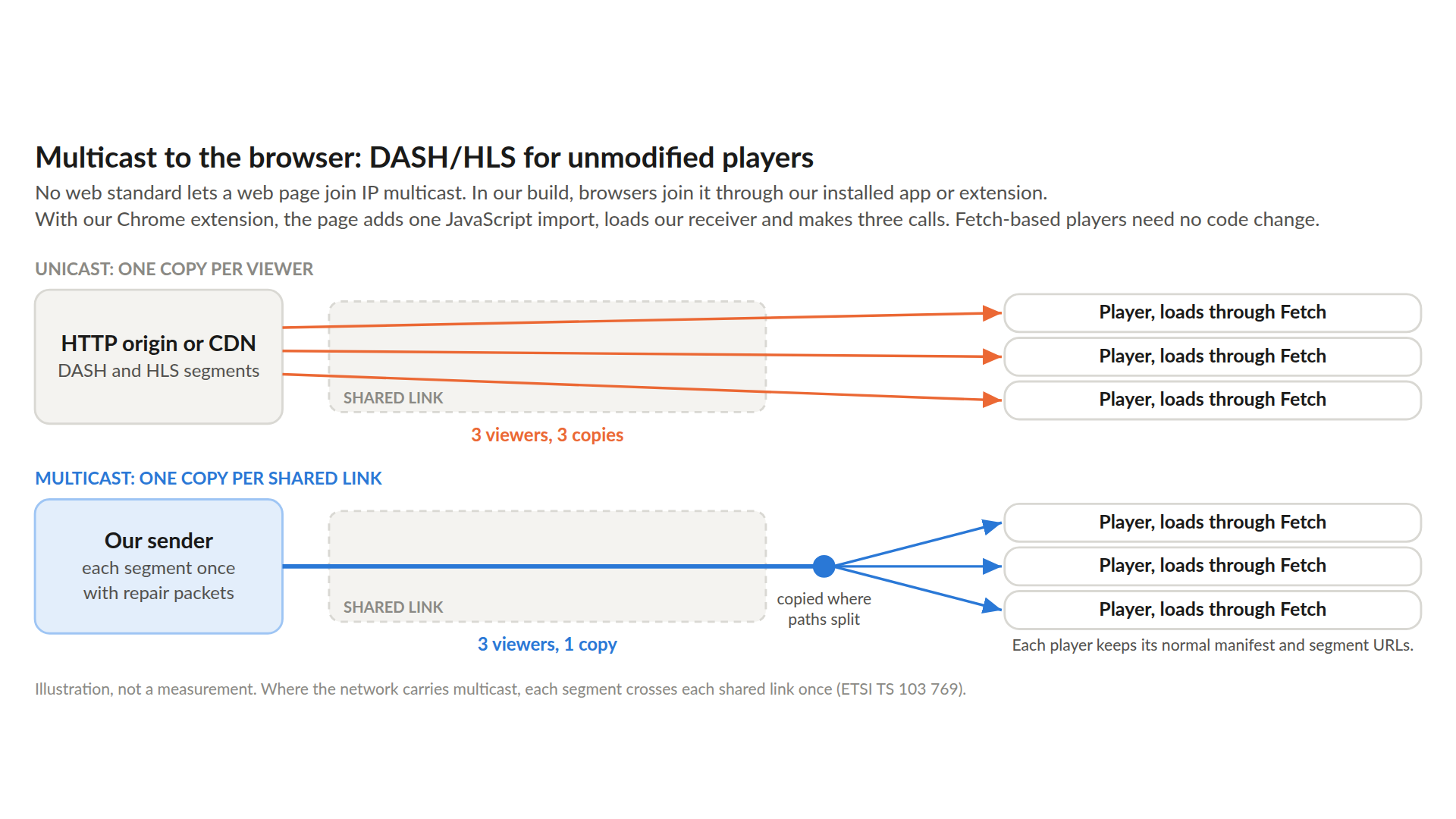
With DASH (Dynamic Adaptive Streaming over HTTP) and HLS (HTTP Live Streaming), each viewer downloads its own copy of each segment it plays. Where the network carries multicast, each segment crosses each shared link once, however many viewers are behind it (ETSI TS 103 769).
But no web standard lets a web page join IP multicast. At Blockcast, we built multicast DASH/HLS into the browser anyway. We also wrote the source-specific multicast support that Chrome 158 turns on for Isolated Web Apps, installed web apps (Chromium's public code review).
In our build, the browser joins the multicast through our installed app or extension. With our Chrome extension, the page adds one JavaScript import, loads our receiver and makes three calls before the player's script runs.
By unmodified players we mean players that load segments through the browser's Fetch API, such as Shaka Player. Their code doesn't change.
In our build, our sender multicasts each DASH or HLS segment once, with repair packets. The DASH manifests and HLS playlists travel with them.
Our installed app joins the multicast groups, and our extension hands the packets to the page. There, our WebAssembly receiver reassembles the segments, and our library keeps the complete ones.
Chrome limits multicast to Isolated Web Apps, installed web apps:
Why source-specific matters: RFC 8815 (2020) recommends it over any-source multicast between networks.
Where a network lacks multicast, AMT (Automatic Multicast Tunneling, RFC 7450) can tunnel it to the viewer. On the tunneled stretch, each viewer gets its own copy (RFC 7450).

With our Chrome extension, the page adds our public JavaScript library with one import. Before the player's script runs, the page also loads our receiver, creates a session, hooks the browser's Fetch API and starts the session.
Hooking Fetch means a Fetch-based player's normal requests reach our library first. The player's code doesn't change.

Our library answers the player's Fetch requests from the complete segments it keeps:

In our tests, an unmodified public release of Shaka Player started playing DASH and HLS in unmodified Chrome from test packets fed into the page. In the same tests, RaptorQ repair (RFC 6330) in the browser rebuilt a packet we dropped.
Live viewing is where per-viewer copies pile up:
Multicast answers with "packet replication at Layer 3" (ETSI TS 103 769): routers copy each packet only where paths split.
Multicast DASH/HLS has an industry name: multicast adaptive bitrate (ABR) streaming. DVB specified it in ETSI TS 103 769, first published in 2020.
CableLabs and DVB both keep the player as it is:
In both designs, a gateway takes in the multicast and answers the player's HTTP requests. In CableLabs' words, "any content not delivered by multicast will be retrieved via unicast".
DVB lets that gateway sit in the network, in a home gateway or set-top box, or in the viewing device itself. Our receiver and library do the gateway's work in the page, and browsers join the multicast through our installed app or extension.
Our build carries the segments with ROUTE, the protocol NextGen TV uses for DASH segments over the air (ATSC A/331, RFC 9223).
In ATSC A/331's conceptual protocol stack, broadcast DASH segments ride IP multicast and reach the DASH player through an HTTP proxy.
In RabbitEars' public scans (January 2024 to October 2026), 98% of US NextGen TV (ATSC 3.0) services carry DASH segments this way. DVB's multicast ABR standard makes the same protocol one of its two mandatory transports (ETSI TS 103 769).

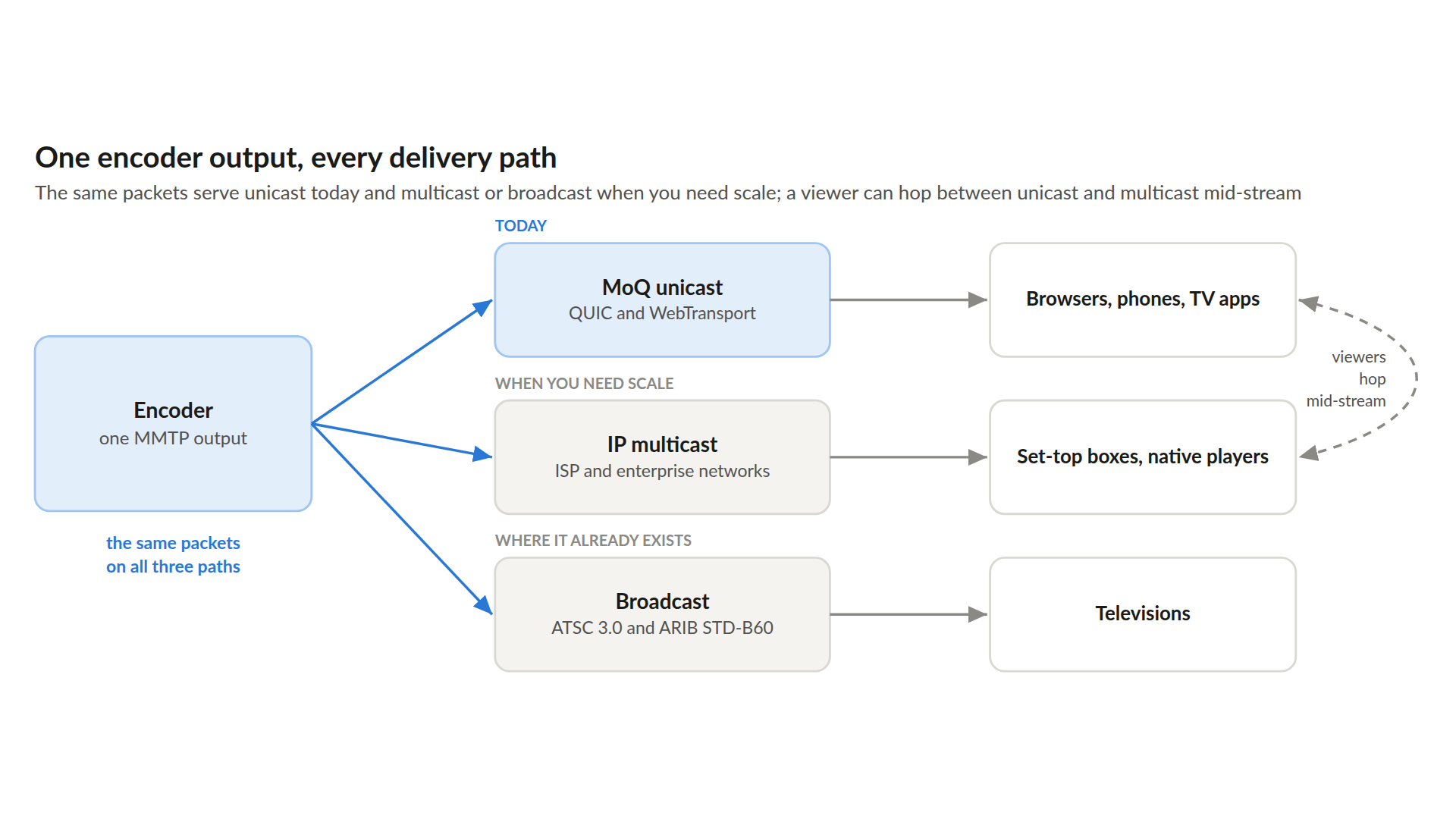
In RabbitEars' scans (January 2024 to October 2026), the other US NextGen TV services use MMTP, the packet format of MPEG Media Transport. Our first article made the case for MMTP over Media over QUIC (MoQ), for new low-latency services. This one is about the DASH and HLS players in use today.
In our build, multicast is a second path to the same segments, next to HTTP, as in DVB's design (ETSI TS 103 769). Our build needs:
Our library reports cache hits and misses, so your page can log which requests went over HTTP.
The library you import is public on npm as @blockcast/mabr-route-proxy (MIT).
If you run live DASH or HLS, I'd like to hear which of your events draw the most concurrent viewers.
If you run a network, what would it take to carry one of those events on multicast?
#Multicast #MulticastABR #MPEGDASH #HLS #LiveStreaming #CDN #JavaScript #ATSC3